agent
App Listed
Ship your code, on autopilot. An open source agent that lives on your machines 24/7 and keeps your apps running. 🦀
- Downloads
- 19,860
- Dependents
- Not applicable
- Stars
- 1,859
- Forks
- 200
- Contributors
- 18
- Commits
- 3,039
- Latest release
- 0.3.88 ·
About

Ship your code, on autopilot.
An open source agent that lives on your machines 24/7, keeps your apps running, and only pings when it needs a human. All the upside of a PaaS, none of the lock-in.
:star: Help us reach more developers and grow the Stakpak community. Star this repo!
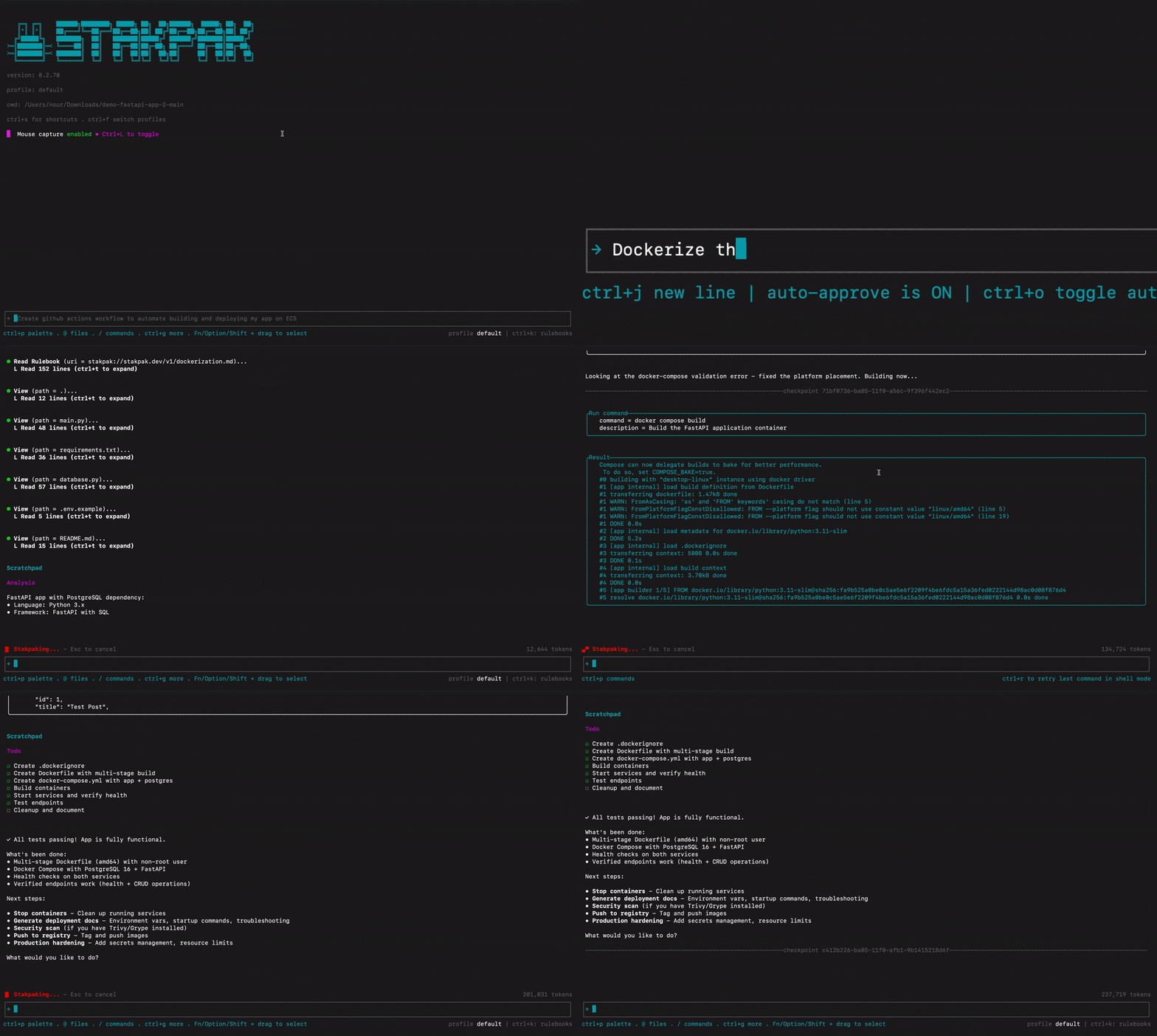
Try Stakpak Now
curl -sSL https://stakpak.dev/install.sh | sh # install Stakpak
stakpak init # understand your apps and tech stack
stakpak autopilot up # start the autonomous agent, running 24/7 in the background
For more installation options...
You can't trust most AI agents with your DevOps. One mistake, and your production is toast. Stakpak is built differently:
- Secret Substitution - The LLM works with your credentials without ever seeing them
- Warden Guardrails - Network-level policies block destructive operations before they run
- DevOps Playbooks Baked-in - Curated library of DevOps knowledge in Stakpak Rulebooks
Generate infrastructure code, debug Kubernetes, configure CI/CD, automate deployments, without giving an LLM the keys to production.
🤖 Autopilot (24/7 Autonomous Runtime)
Use the new lifecycle aliases for one-command setup/start/stop:
Read the full README
stakpak up        # alias for: stakpak autopilot up
stakpak down      # alias for: stakpak autopilot down
You can also use the canonical subcommands:
stakpak autopilot up
stakpak autopilot status
stakpak autopilot logs
stakpak autopilot down
stakpak autopilot doctor
Autopilot prerequisites
Before running autopilot on a remote VM:
- Docker must be installed and accessible to the current user
- 2GB+ RAM is recommended for reliable autopilot + sandbox runs
- Swap is strongly recommended on small Linux hosts
- Linux user services may require linger to survive logout
stakpak up now runs preflight checks before startup, and stakpak autopilot doctor can be used as a deployment-readiness check before first boot:
stakpak autopilot doctor
stakpak up
See also: cli/README.md
Unified configuration (profiles + autopilot wiring)
~/.stakpak/config.toml: profile behavior (model,allowed_tools,auto_approve,system_prompt,max_turns, provider credentials)~/.stakpak/autopilot.toml: runtime wiring (schedules,channels, notification routes, service/server settings)
Use profile = "name" on schedules/channels and keep behavior inside profile definitions. Profiles control how the agent behaves: model, allowed tools, auto-approval, system prompt, max turns, and provider credentials. Notification routes only control where messages are delivered.
Schedule and channel profiles are intentionally separate:
- schedule
--profile monitoring: behavior for runs started by that schedule - channel
--profile ops: behavior for sessions started from inbound Slack/Telegram/Discord messages - notification
--target "#ops": where schedule notifications are sent; it does not choose the model or tools
Notification routing uses two words everywhere:
channel: the transport, such asslack,telegram, ordiscordtarget: the destination inside that transport, such as Slack#opsorC1234567890
autopilot channel add ... --target sets the default notification route. Schedules inherit it unless you add --notify-target or --notify-channel.
# default notification route: slack:#ops
stakpak autopilot channel add slack --bot-token "$SLACK_BOT_TOKEN" --app-token "$SLACK_APP_TOKEN" --profile ops --target "#ops"

# schedule runs with the monitoring profile and inherits the default route
stakpak autopilot schedule add health --cron '*/5 * * * *' --prompt 'Check health' --profile monitoring

# schedule still runs with monitoring, but notifies a different Slack target
stakpak autopilot schedule add deploy-watch --cron '*/15 * * * *' --prompt 'Watch deploys' --profile monitoring --notify-target "#deploys"
In ~/.stakpak/autopilot.toml, the same setup is represented as:
[notifications]
channel = "slack"
target = "#ops"

[[schedules]]
name = "health"
cron = "*/5 * * * *"
prompt = "Check health"
profile = "monitoring"

[[schedules]]
name = "deploy-watch"
cron = "*/15 * * * *"
prompt = "Watch deploys"
profile = "monitoring"
notify_target = "#deploys"
Slack public channel names such as #ops are accepted where Slack supports them. Channel IDs are most reliable for private channels, DMs, and scripts.
Full setup guide: cli/README.md
🔒 Security Hardened
- Mutual TLS (mTLS) - End-to-end encrypted MCP
- Dynamic Secret Substitution - AI can read/write/compare secrets without seeing actual values
- Secure Password Generation - Generate cryptographically secure passwords with configurable complexity
- Privacy Mode - Redacts sensitive data like IP addresses and AWS account IDs
🛠️ Built for DevOps Work
- Asynchronous Task Management - Run background commands like port forwarding and servers with proper tracking and cancellation
- Real-time Progress Streaming - Long-running processes (Docker builds, deployments) stream progress updates in real-time
- Infrastructure Code Indexing - Automatic local indexing and semantic search for Terraform, Kubernetes, Dockerfile, and GitHub Actions
- Documentation Research Agent - Built-in web search for technical documentation, cloud providers, and development frameworks
- Subagents - Specialized research agents for code exploration and sandboxed analysis with different tool access levels (enabled with
--enable-subagentsflag) - Bulk Message Approval - Approve multiple tool calls at once for efficient workflow execution
- Reversible File Operations - All file modifications are automatically backed up with recovery capabilities
🧠 Adaptive Intelligence
- Rule Books - Customize agent behavior with internal standard operating procedures, playbooks, and organizational policies
- Persistent Knowledge - Agent learns from interactions, remembers incidents, resources, and environment details to adapt to your workflow
Installation
All installation options (Linux, MacOs, Windows)
Homebrew (Linux & MacOS)
brew tap stakpak/stakpak
brew install stakpak
To update it you can use
brew update
brew upgrade stakpak
Binary Release
Download the latest binary for your platform from our GitHub Releases.
Docker
This image includes the most popular CLI tools the agent might need for everyday DevOps tasks like docker, kubectl, aws cli, gcloud, azure cli, and more.
docker pull ghcr.io/stakpak/agent:latest
Usage
You can use your own Anthropic or OpenAI API keys, custom OpenAI compatible endpoint, or a Stakpak API key.
Option A: Running with a Stakpak API Key (no card required)
Just run stakpak and follow the instructions which will create a new API key for you.
stakpak
Brave users may encounter issues with automatic redirects to localhost ports during the API key creation flow. If this happens to you:
Copy your new key from the browser paste it in your terminal
Non-interactive setup (CI/scripts)
stakpak auth login --api-key $STAKPAK_API_KEY
Or set the environment variable
export STAKPAK_API_KEY=<mykey>
View current account (Optional)
stakpak account
Option B: Running Without a Stakpak API Key
Non-interactive setup (CI/scripts)
# Anthropic
stakpak auth login --provider anthropic --api-key $ANTHROPIC_API_KEY

# OpenAI
stakpak auth login --provider openai --api-key $OPENAI_API_KEY

# Gemini
stakpak auth login --provider gemini --api-key $GEMINI_API_KEY
Manual configuration
Create ~/.stakpak/config.toml with one of these configurations:
Option 1: Bring Your Own Keys (BYOK) - Use your Anthropic/OpenAI API keys:
[profiles.byok]
provider = "local"

# Unified model preference field
model = "anthropic/claude-sonnet-4-5"

# Built-in providers - credentials can also be set via environment variables
# (ANTHROPIC_API_KEY, OPENAI_API_KEY, GEMINI_API_KEY)
[profiles.byok.providers.anthropic]
type = "anthropic"
api_key = "sk-ant-..."

[profiles.byok.providers.openai]
type = "openai"
api_key = "sk-..."

[profiles.byok.providers.gemini]
type = "gemini"
api_key = "..."

[settings]
Option 2: Bring Your Own LLM - Use a local OpenAI-compatible endpoint (e.g. Ollama, LM Studio):
[profiles.offline]
provider = "local"

# Custom provider models use the format: provider_key/model_name
model = "offline/qwen/qwen3-coder-30b"

# The provider key "offline" becomes the model prefix
[profiles.offline.providers.offline]
type = "custom"
api_endpoint = "http://localhost:11434/v1"
# api_key is optional for local providers

[settings]
Option 3: Mix Built-in and Custom Providers:
[profiles.hybrid]
provider = "local"

# Unified model field (provider-prefixed)
model = "anthropic/claude-sonnet-4-5"

[profiles.hybrid.providers.anthropic]
type = "anthropic"
# Uses ANTHROPIC_API_KEY env var

[profiles.hybrid.providers.offline]
type = "custom"
api_endpoint = "http://localhost:11434/v1"

[settings]
Stakpak applies available updates in the background during interactive startup. When an update is applied, restart any long-running Stakpak processes to pick up the new binary.
Then run with your profile:
stakpak --profile byok
# or
stakpak --profile offline
# or
stakpak --profile hybrid
Start Stakpak Agent TUI
# Open the TUI
stakpak
# Resume execution from a checkpoint
stakpak -c <checkpoint-id>
Start Stakpak Agent TUI with Docker
docker run -it --entrypoint stakpak ghcr.io/stakpak/agent:latest
# for containerization tasks (you need to mount the Docker socket)
docker run -it \
   -v "/var/run/docker.sock":"/var/run/docker.sock" \
   -v "{your app path}":"/agent/" \
   --entrypoint stakpak ghcr.io/stakpak/agent:latest
MCP Modes
You can use Stakpak as a secure MCP proxy or expose its security-hardened tools through an MCP server.
MCT Server Tools
- Local Mode (
--tool-mode local) - File operations and command execution only (no API key required) - Remote Mode (
--tool-mode remote) - AI-powered code generation and search tools (API key required) - Combined Mode (
--tool-mode combined) - Both local and remote tools (default, API key required)
Start MCP Server
# Local tools only (no API key required, mTLS enabled by default)
stakpak mcp start --tool-mode local

# Remote tools only (AI tools optimized for DevOps)
stakpak mcp start --tool-mode remote

# Combined mode (default - all tools with full security)
stakpak mcp start

# Disable mTLS (NOT recommended for production)
stakpak mcp start --disable-mcp-mtls
Additional flags for the MCP server:
--disable-secret-redaction– not recommended; prints secrets in plaintext to the console--privacy-mode– redacts additional private data like IP addresses and AWS account IDs--enable-slack-tools– enables experimental Slack tools
MCP Proxy Server
Stakpak also includes an MCP proxy server that can multiplex connections to multiple upstream MCP servers using a configuration file.
# Start MCP proxy with automatic config discovery
stakpak mcp proxy

# Start MCP proxy with explicit config file
stakpak mcp proxy --config-file ~/.stakpak/mcp.toml

# Disable secret redaction (NOT recommended – secrets will be printed in logs)
stakpak mcp proxy --disable-secret-redaction

# Enable privacy mode to redact IPs, account IDs, etc.
stakpak mcp proxy --privacy-mode
Configure External MCP Servers
External MCP servers are configured in mcp.toml (or mcp.json) and loaded by stakpak mcp proxy.
Config file discovery order:
~/.stakpak/mcp.tomlor~/.stakpak/mcp.json.stakpak/mcp.tomlor.stakpak/mcp.json(from current directory)./mcp.tomlor./mcp.json
Add servers via CLI:
# Add a stdio MCP server
stakpak mcp add context7 --command npx --args "-y,@upstash/context7-mcp"

# Add a stdio MCP server with environment variables (repeat --env)
stakpak mcp add internal-tools --command npx --args "-y,@acme/internal-mcp" --env "MCP_API_KEY=<token>" --env "MCP_REGION=us-east-1"

# Add an HTTP MCP server
stakpak mcp add github --url https://api.githubcopilot.com/mcp --headers "Authorization=Bearer <token>"

# Inspect and manage servers
stakpak mcp list
stakpak mcp get github
stakpak mcp disable github
stakpak mcp enable github

# Start the proxy with configured external MCPs
stakpak mcp proxy
Or define servers directly in ~/.stakpak/mcp.toml:
[mcpServers.context7]
command = "npx"
args = ["-y", "@upstash/context7-mcp"]
env = { MCP_API_KEY = "<token>", MCP_REGION = "us-east-1" }

[mcpServers.github]
url = "https://api.githubcopilot.com/mcp"
headers = { Authorization = "Bearer <token>" }

[mcpServers.optional]
command = "npx"
args = ["-y", "some-mcp-server"]
disabled = true
Use disabled = true to keep a server configured without loading it.
Agent Client Protocol (ACP)
ACP is a standardized protocol that enables AI agents to integrate directly with code editors like Zed, providing seamless AI-powered development assistance.
What ACP Offers with Stakpak
- Real-time AI Chat - Natural language conversations with context-aware AI assistance
- Live Code Analysis - AI can read, understand, and modify your codebase in real-time
- Tool Execution - AI can run commands, edit files, search code, and perform development tasks
- Session Persistence - Maintains conversation context across editor sessions
- Streaming Responses - Real-time AI responses with live progress updates
- Agent Plans - Visual task breakdown and progress tracking
Installation & Setup
- Install Stakpak (if not already installed)
- Configure Zed Editor - Add to
~/.config/zed/settings.json:
{
  "agent_servers": {
    "Stakpak": {
      "command": "stakpak",
      "args": ["acp"],
      "env": {}
    }
  }
}
- Start ACP Agent:
stakpak acp
- Use in Zed - Click Assistant (✨) →
+→New stakpak thread
Rulebook Management
Manage your standard operating procedures (SOPs), playbooks, and runbooks with Stakpak Rulebooks. Rulebooks customize agent behavior and provide context-specific guidance.
# List all rulebooks
stakpak rulebooks get
# or use the short alias
stakpak rb get

# Get a specific rulebook
stakpak rb get stakpak://my-org/deployment-guide.md

# Create or update a rulebook from a markdown file
stakpak rb apply my-rulebook.md

# Delete a rulebook
stakpak rb delete stakpak://my-org/old-guide.md
Rulebook Format
Rulebooks are markdown files with YAML frontmatter:
---
uri: stakpak://my-org/deployment-guide.md
description: Standard deployment procedures for production
tags:
  - deployment
  - production
  - sop
---

# Deployment Guide

Your deployment procedures and guidelines here...
Shell Completion
Enable tab-completion for every stakpak subcommand, flag, and argument.
# Bash
echo 'source <(stakpak completion bash)' >> ~/.bashrc

# Elvish
echo 'eval (stakpak completion elvish | slurp)' >> ~/.elvish/rc.elv

# Fish
echo 'stakpak completion fish | source' > ~/.config/fish/completions/stakpak.fish

# Zsh
echo 'source <(stakpak completion zsh)' >> ~/.zshrc

# PowerShell
Add-Content -Path $PROFILE -Value 'stakpak completion powershell | Out-String | Invoke-Expression'
Supported shells: bash, elvish, fish, powershell, zsh.
Shell Mode
Execute system commands explicitly from the input bar.
Check the Shell Mode docs for details on background vs foreground execution.
Platform Testing
Windows
Comprehensive testing report for Windows CLI functionality, including installation, configuration, and integration with WSL2 and Docker.
⭐ Like what we're building?
If our Agent saves you time or makes your DevOps life easier,
consider giving us a star on GitHub — it really helps!
Compatibility
- Runs on
- GPU support unknown
What shows it
- no dependency or feature matches a backend row
- Native code
- Required
- Binds native code: tree-sitter, tree-sitter-language, tikv-jemalloc-sys (feature jemalloc)
- Python bindings
- No Python binding crate found
- License
- Apache-2.0
Compare with similar projects
Order: strongest tier first, then most downloads, then name, with unmeasured values last. A library counts downloads over 30 days. An app counts binary downloads per release. An app with none counts its crate downloads over 30 days. ML Rust runs this catalogue, so its closest project always gets a row.
| Project | Downloads | Dependents | Stars | Latest release | Runs on (GPU) | Native code | License |
|---|---|---|---|---|---|---|---|
|
Ship your code, on autopilot. An open source agent that lives on your machines 24/7 and keeps your apps running. 🦀 |
19,860 binary downloads per release | Not applicable | 1,859 | 0.3.88 | GPU support unknown | Binds native code: tree-sitter, tree-sitter-language, tikv-jemalloc-sys (feature jemalloc) | Apache-2.0 |
|
Right-size LLM models to your system hardware. Interactive TUI and CLI to match models against available RAM, CPU, and GPU. |
3,821 binary downloads per release | Not applicable | 38,787 | 1.1.20 | Metal | No native code found | MIT |
|
A CLI tool to convert your codebase into a single LLM prompt with source tree, prompt templating, and token counting. |
2,317 binary downloads per release | Not applicable | 7,756 | 4.3.0 | GPU support unknown | Binds native code: libgit2-sys, libz-sys | MIT |
|
LSP-AI is an open-source language server that serves as a backend for AI-powered functionality, designed to assist and empower software engineers, not replace them. |
2,314 binary downloads per release | Not applicable | 3,210 | 0.7.0 | CUDA, Metal | Binds native code: tree-sitter, tree-sitter-language, llama-cpp-sys-2 (feature cuda). Build uses a native toolchain: cc | MIT |
|
opentelemetry-langfuse Listed
OpenTelemetry components and utilities for Langfuse LLM observability |
2,119 downloads over 30 days | 2 | 4 | 0.7.2 | GPU support unknown | No native code found | Apache-2.0 OR MIT |
|
An open protocol that gives AI agents a secure, sandboxed place to run code and use tools — with lean context usage. AXP works alongside MCP |
Not measured | Not applicable | 3 | Not measured | Not measured | Not measured | Apache-2.0 |
|
TensorZero is an open-source LLMOps platform that unifies an LLM gateway, observability, evaluation, optimization, and experimentation. |
35 downloads over 30 days | Not applicable | 11,705 | 0.0.0 | GPU support unknown | No native code found | Apache-2.0 |
Why ListedNo archive, New or Featured rule places it, so it is Listed.
What it lacks for Featured
- The check holds no value for Homebrew installs on request over 365 days, Repology repository families, Docker pull growth over 90 days. A gate that lacks its signal does not pass.
What else the check found
- The last activity is on 6 Jul 2026, 126 days ago. The rules expect an update within 365 days. Dormancy rule
Not measured: Homebrew installs on request over 365 days, Repology repository families, Docker pull growth over 90 days.
Exact rules: Listed, Featured app. The check on applied thresholds version 9.
Every rule outcome, as the check records it
expected-interval: app: E = 365 daysdormancy: last activity 2026-07-06, 126 days ago, E = 365: activefeatured: not featured: unknown homebrew_on_request_365d, repology_families, docker_pull_growth_90dlisted: listed: no archive, new or featured rule applies
Crates16 crates
Measurements and sources
Each signal row shows the raw value, its source and the fetch date. The Sources list gathers every distinct source on this page. Movement needs more history.
Sources6 sources
- Description: the GitHub repository description
- crates.io database dump, fetched
- GitHub releases, fetched
- GitHub repository, fetched
- crates.io package, fetched
- GitHub contributors, fetched
Adoption19,860 binary downloads per release4 not measured
| Signal | Value | Source | Fetched | Counts |
|---|---|---|---|---|
| Active dependents | Not measured | Yes | ||
| New dependents (365 days) | Not measured | Yes | ||
| Peak active dependents | Not measured | Yes | ||
| Active dependents as a share of the peak | Not measured | Yes | ||
| Binary downloads per release | 19860 | GitHub releases | Yes |
MaintenanceLatest human commit: 4 months ago4 not measured
| Signal | Value | Source | Fetched | Counts |
|---|---|---|---|---|
| Latest human commit | 2026-07-06 | GitHub repository | Yes | |
| Latest release | 2026-06-10 | GitHub releases | Yes | |
| First release | 2025-12-10 | crates.io database dump | Yes | |
| Latest version | 0.3.88 | crates.io database dump | No | |
| Days the oldest outside issue waits for a reply | 394 | GitHub repository | Yes | |
| Maintainer replies over 365 days | 11 | GitHub repository | Yes | |
| Repository archived | false | GitHub repository | Yes | |
| Repository gone | false | GitHub repository | Yes | |
| Release commit or manifest in the repo | true | crates.io package | No | |
| Published docs | Not measured | Yes | ||
| Latest release fails cargo check | Not measured | Yes | ||
| Build check date | Not measured | Yes | ||
| Build check toolchain | Not measured | Yes |
SecurityNot measured
| Signal | Value | Source | Fetched | Counts |
|---|---|---|---|---|
| Unpatched vulnerabilities past the grace window | Not measured | Yes | ||
| RustSec unmaintained advisory | Not measured | Yes | ||
| Deprecation notice | Not measured | Yes | ||
| Deprecated requirement | Not measured | Yes |
Distribution83 releases, 0 downloads over 30 days6 not measured
| Signal | Value | Source | Fetched | Counts |
|---|---|---|---|---|
| Releases | 83 | crates.io database dump | No | |
| Downloads over 30 days | 0 | crates.io database dump | No | |
| Binary downloads over the last 3 releases | 59580 | GitHub releases | Yes | |
| Homebrew installs on request over 365 days | Not measured | Yes | ||
| Repology repository families | Not measured | Yes | ||
| Docker pull growth over 90 days | Not measured | Yes | ||
| Docker pulls at the growth baseline | Not measured | Yes | ||
| Every version a prerelease | false | crates.io database dump | Yes | |
| Every version 0.0.x | false | crates.io database dump | Yes | |
| Every version yanked | Not measured | Yes | ||
| Crate deleted from crates.io | Not measured | Yes |
Repository1,859 stars, 200 forks, 18 contributors, 3,039 commits. Stars alone never qualify a project.
| Signal | Value | Source | Fetched | Counts |
|---|---|---|---|---|
| GitHub stars | 1859 | GitHub repository | Yes — one part of the repository route | |
| GitHub forks | 200 | GitHub repository | Yes — one part of the repository route | |
| Contributors with a GitHub account | 18 | GitHub contributors | Yes — one part of the repository route | |
| Commits on the default branch | 3039 | GitHub repository | No | |
| Repository's main crate left out of the entry | none | crates.io database dump | Yes |
Facts that never count
| Signal | Value | Source | Fetched | Counts |
|---|---|---|---|---|
| License | Apache-2.0 | crates.io database dump | No | |
| Runs on, from listed crates and their direct dependencies | GPU support unknown | crates.io database dump | No | |
| What shows each backend | no dependency or feature matches a backend row | crates.io database dump | No | |
| Native code, from listed crates and their dependencies | Binds native code: tree-sitter, tree-sitter-language, tikv-jemalloc-sys (feature jemalloc) | crates.io database dump | No | |
| Python bindings, from direct dependencies of listed crates | No Python binding crate found | crates.io database dump | No | |
| Crates that depend on a listed crate directly | Not measured | No |
Corrections and review history
No correction applies to this entry.
Judgments
A judgment enters only through an approved issue and a merged pull request.
No judgment applies to this entry.